MegaTrackerFrameFilter component reference
Explore the properties in the MegaTrackerFrameFilter component window for Mega tracking parameters.
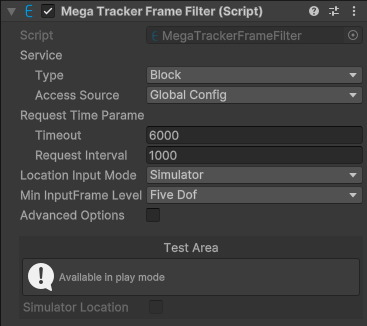
Component screenshot under default conditions.
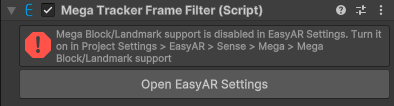
Screenshot when Mega Block/Landmark support is disabled in the configuration and the component is unavailable.

| Property | Description |
|---|---|
| Service | Service access information. |
| Type | EasyAR Mega service type. Options:
|
| Access Source | Service access data source type. Options:
|
| App ID | Displayed when Access Source is API Key or Token. Service AppID. |
| Server Address | Displayed when Access Source is API Key or Token. Service address. |
| API Key | Displayed when Access Source is API Key. API Key. |
| API Secret | Displayed when Access Source is API Key. API Secret. |
| Token | Displayed when Access Source is Token. Token. |
| Request Time Parameters | Request time parameters. |
| Timeout | Timeout for communication with the server, in milliseconds. |
| Request Interval | Expected request interval, in milliseconds. A larger value produces larger overall error. |
| Location Input Mode | Location input mode. Options:
|
| Min Input Frame Level | Minimum allowed MegaInputFrameLevel for input frames. If the frame source can only provide data with a lower-dimensional CameraTransformType, the session will fail to start. Options:
|