MegaTrackerFrameFilter 组件参考
探索 MegaTrackerFrameFilter 组件窗口中的各项属性以 Mega 跟踪参数。
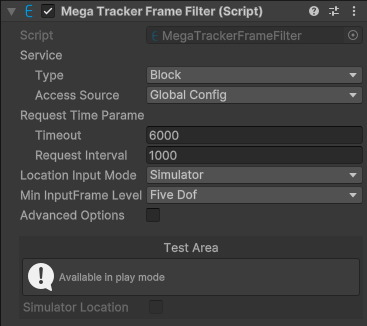
默认条件下组件截图。
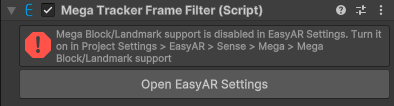
配置中关闭 Mega Block/Landmark 支持,组件不可用时的截图。

| 属性 | 描述 |
|---|---|
| Service | 服务访问信息。 |
| Type | EasyAR Mega 服务类型。选项:
|
| Access Source | 服务访问数据源类型。选项:
|
| App ID | Access Source 是 API Key 或 Token 时显示。 服务AppID。 |
| Server Address | Access Source 是 API Key 或 Token 时显示。 服务地址。 |
| API Key | Access Source 是 API Key 时显示。 API Key。 |
| API Secret | Access Source 是 API Key 时显示。 API Secret。 |
| Token | Access Source 是 Token 时显示。 Token。 |
| Request Time Parameters | 请求时间参数。 |
| Timeout | 与服务器通信的超时时间(毫秒)。 |
| Request Interval | 期望的请求间隔时间(毫秒),值越大整体误差越大。 |
| Location Input Mode | 位置输入模式。选项:
|
| Min Input Frame Level | 输入帧最小允许的 MegaInputFrameLevel。如果 frame source 只能给出维度更低的 CameraTransformType 的数据,session 会启动失败。选项:
|